

- Posts: 3143
- Thank you received: 4
Log In

Log in

This is the optional category header for the Suggestion Box
chat box
6 years 9 months ago #21081
by 928mac
I understand that some site changes are not possible, but it sure would be handy if
i could click on a user or mod and in their profile be able to bring up a chat window.
I could chat with the mod and explain the problem or vis versa
Is a chat window possible?
i could click on a user or mod and in their profile be able to bring up a chat window.
I could chat with the mod and explain the problem or vis versa
Is a chat window possible?
Please Log in or Create an account to join the conversation.

6 years 9 months ago #21082
by billvvOC
I don't know that it is possible without adding another module to the Content Management System, Joomla. And adding more website management support.
The following user(s) said Thank You: 928mac
Please Log in or Create an account to join the conversation.
6 years 6 months ago - 6 years 6 months ago #21147
by 928mac
well it's good to see that the web site improvements are in talks.
I tell everyone on the 928 owners club face book page to get a membership here,
but from what I can see from posting to my profile today and adding picture files it really sucks.
It's not the same or as pleasant as posting on the facebook page so i bet they would never apply for a second year membership.
come on people, how many years has this site been operating and i still can't stick a few photos on my page that isn't an attachment.
If it don't change you will not gain membership.
go to my 1st profile page and look at my post and see the pictures
then go to page 11 and look at todays post where the pics are just attachments, not pleasant at all
I tell everyone on the 928 owners club face book page to get a membership here,
but from what I can see from posting to my profile today and adding picture files it really sucks.
It's not the same or as pleasant as posting on the facebook page so i bet they would never apply for a second year membership.
come on people, how many years has this site been operating and i still can't stick a few photos on my page that isn't an attachment.
If it don't change you will not gain membership.
go to my 1st profile page and look at my post and see the pictures
then go to page 11 and look at todays post where the pics are just attachments, not pleasant at all
Last edit: 6 years 6 months ago by 928mac.
Please Log in or Create an account to join the conversation.
6 years 6 months ago - 6 years 6 months ago #21148
by 928mac
ok so after my rant, I see i can use a BBcode from a host like Imgur and then the picture shows up on the post
The problem is that i did this before with photobucket and half my post with pictures are no good now.

The problem is that i did this before with photobucket and half my post with pictures are no good now.
Last edit: 6 years 6 months ago by 928mac.
Please Log in or Create an account to join the conversation.
6 years 6 months ago #21149
by billvvOC
If you do this...
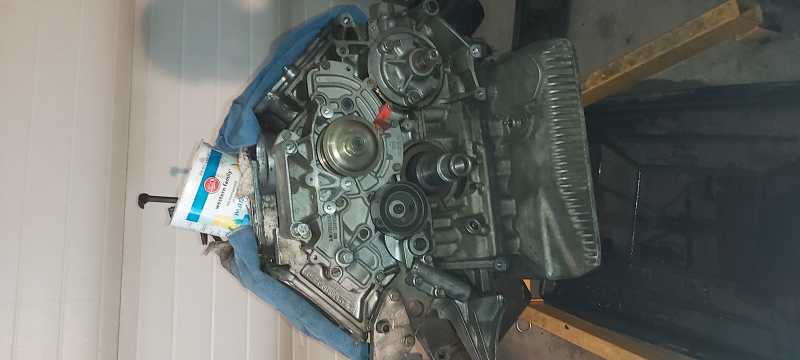
- In the Attachments area below the message editing frame, click the Add File button
- Browse for the image file you want to upload from your PC and press Open to end the dialog and copy the filename to the web page
- Now click the Insert button that appears next to the attached file name in the Attachments area
You get this....
Please Log in or Create an account to join the conversation.